 Kilowell
Know where every unit and every cent goes.
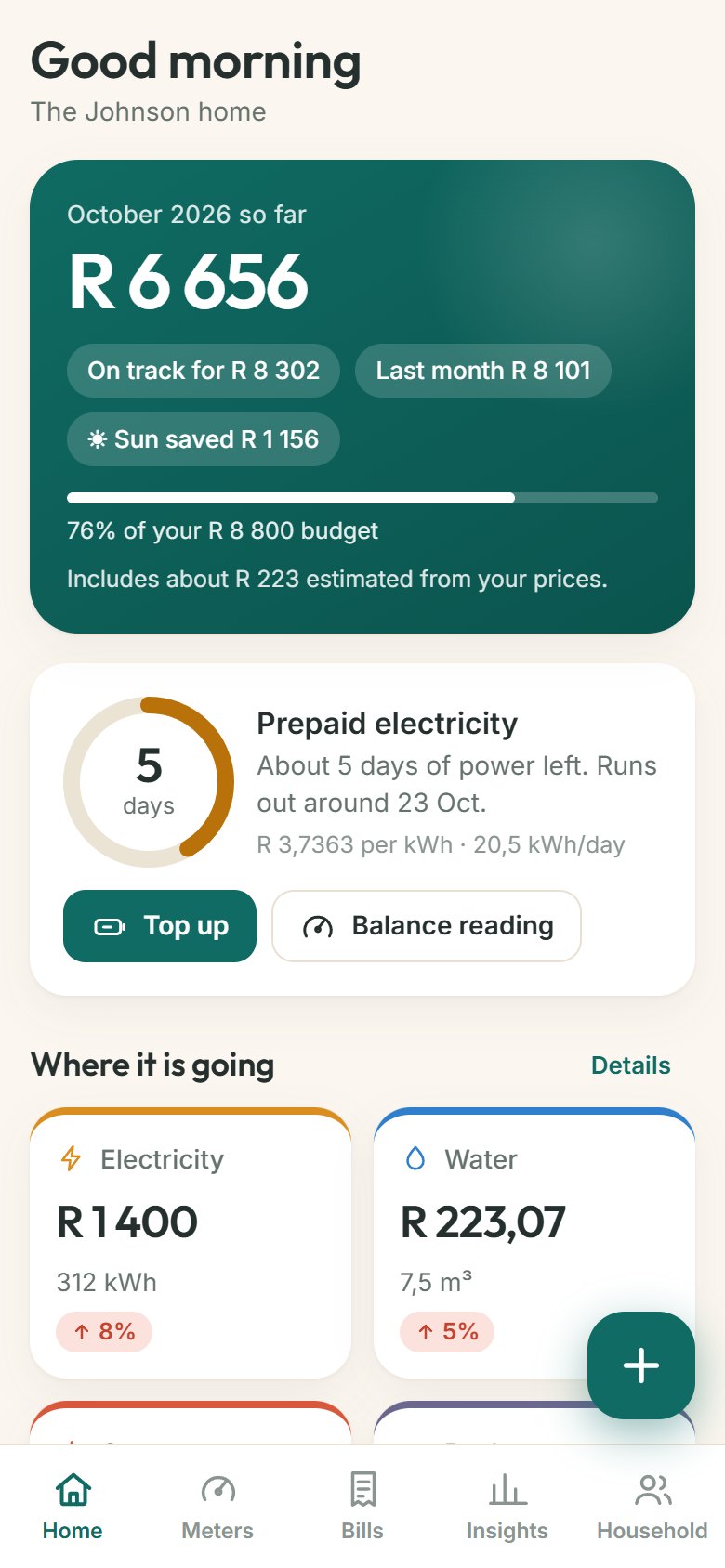
Kilowell keeps your electricity, water, gas, prepaid power and every household bill in one calm place, and tells you what is coming before the bill does.
- Free during early access
- Works offline
- No app store: add it to your home screen
Prepaid power, finally clear.
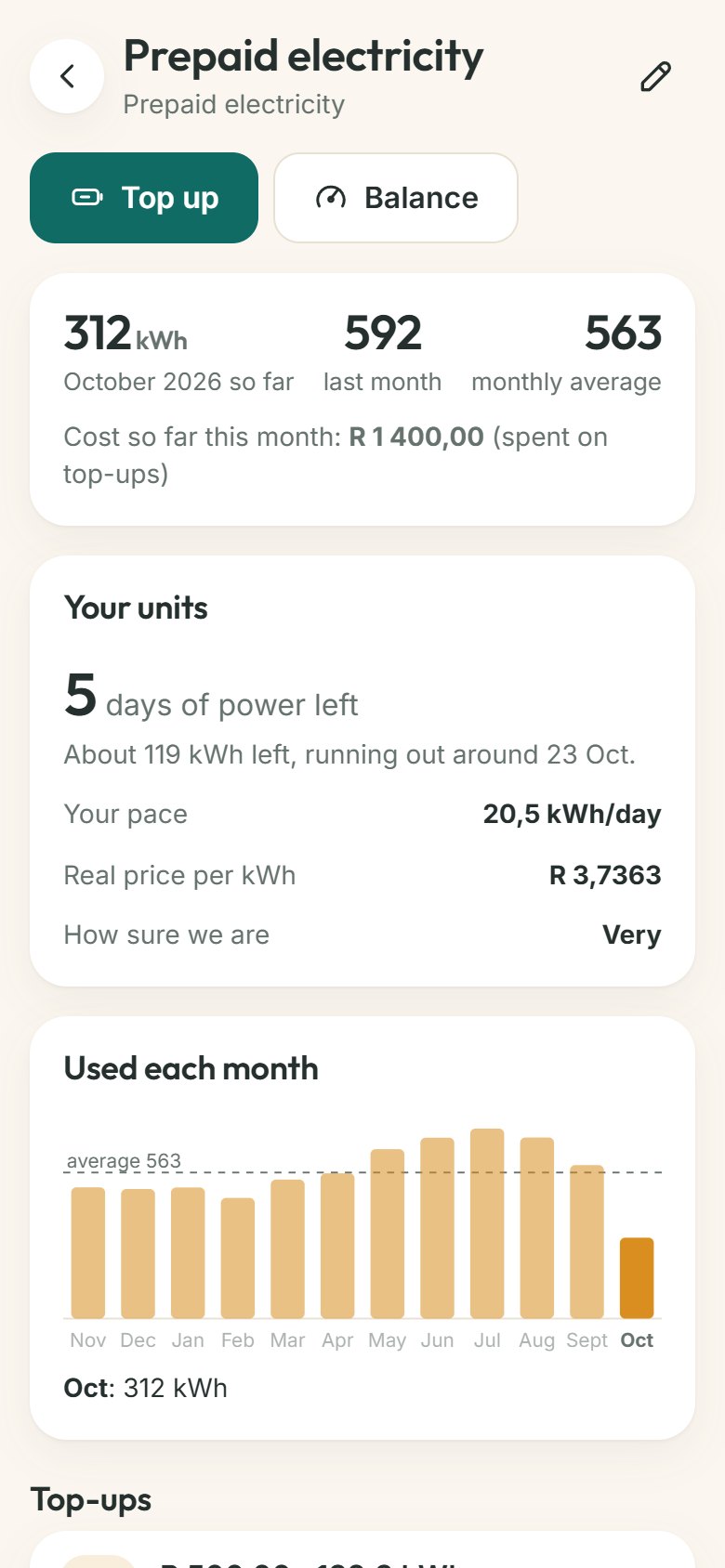
Every top-up is units you bought, not units you used. Kilowell learns your pace from your top-ups and the units left on the meter, then tells you how many days of power you have and when to top up.
- Days of power left, and the day it runs out
- What a unit really costs you, fees and tax included
- A heads-up on your Home screen before you run dry
Photograph it. Kilowell reads it.
Point your camera at a meter or a bill. Kilowell fills in the reading, the amount, the dates and the units used. You check what it read before anything is saved. A combined municipal bill is split into electricity, water, rates and refuse automatically.
- Meters, bills and bank statements (PDF or CSV)
- You stay in control: nothing is saved until you confirm
- Photos are read once and not kept unless you choose to keep one
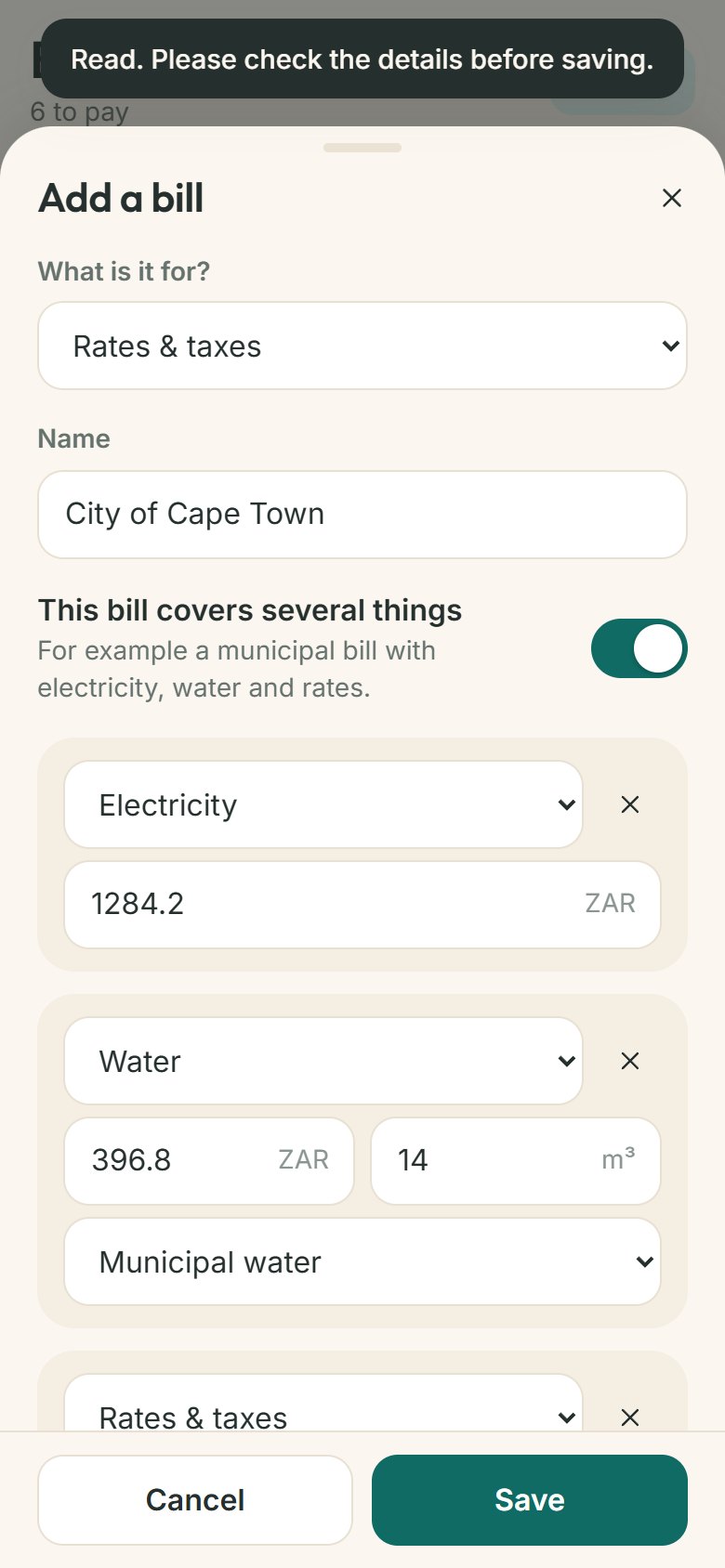
See the unit and the cost in one place.
Most apps show what you paid. Kilowell also shows what you used, so you can tell whether a bigger bill came from using more or from a price rise.
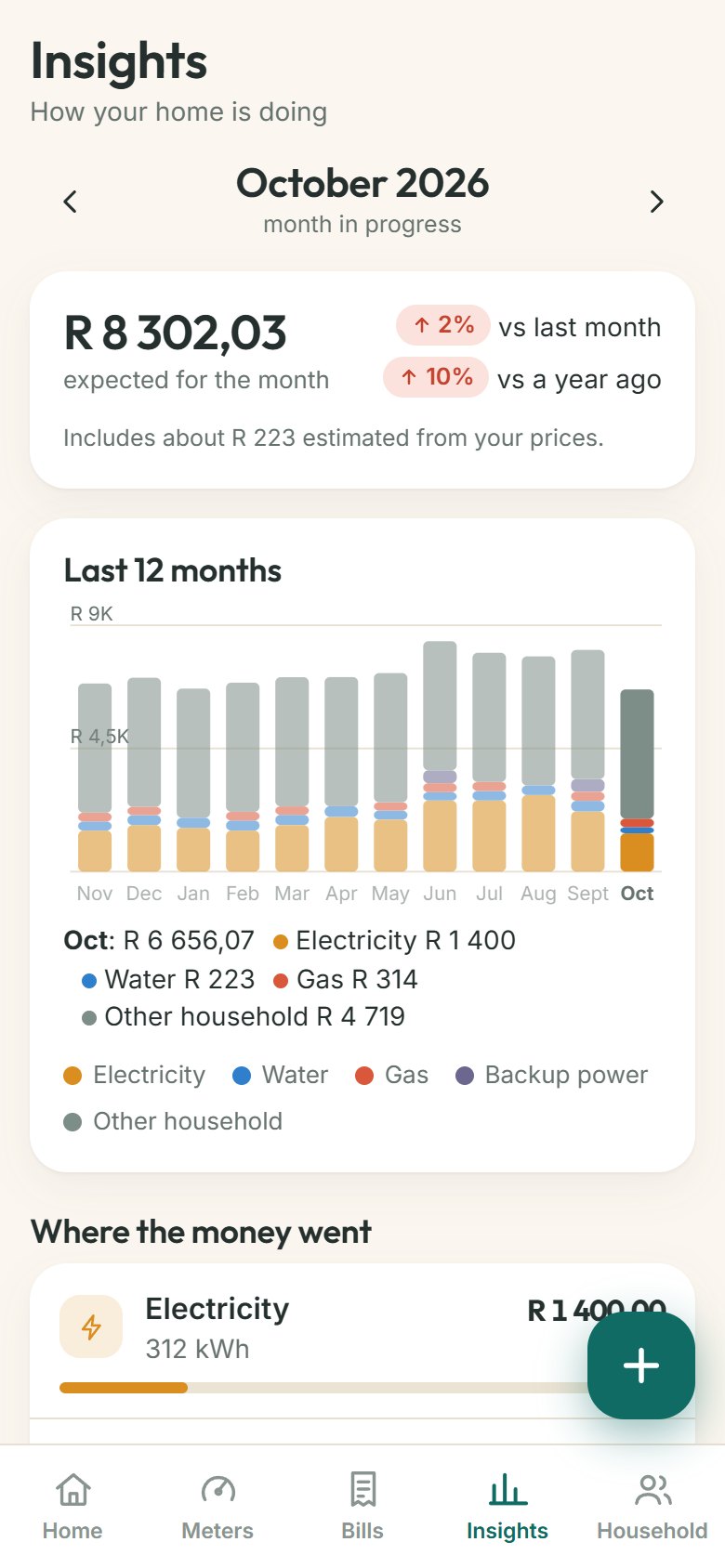
- This month against last month and the same month last year
- A forecast for the month-end, with budgets that warn you early
- Plain-language answers: “You used 18% more”, or “the price went up on 1 July”
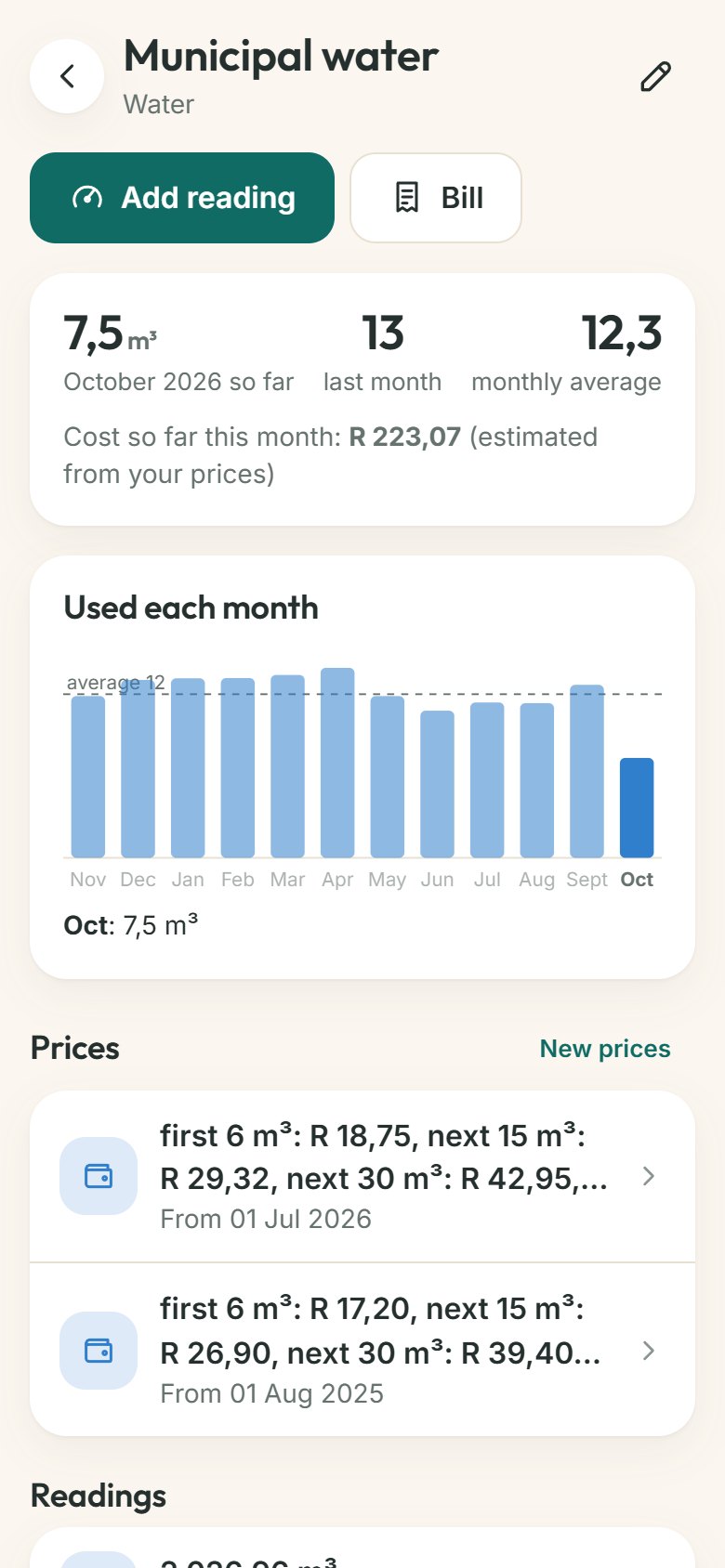
Built for homes everywhere.
Different countries, currencies and meters. Kilowell adapts.
Any currency, any unit
kWh, m³, litres, gallons, CCF, therms. Set your country and Kilowell chooses the usual units, or change them.
Prices that rise with use
Tiered electricity and water tariffs, fixed charges, tax, and price changes on a date, so a July increase only applies from July.
Solar, generator and gas
Track what the sun saves you, what the generator costs to run and how fast a gas cylinder goes, next to your grid bill.
Share with your family
Invite your partner or flatmates with a code. Let them edit, or just view. Everyone sees the same numbers.
Never miss a bill
Repeating bills for rent, internet, insurance and levies, a calendar of what is due, and meter-reading day reminders on your Home screen and in your calendar.
Yours to take away
Export everything to a spreadsheet, back it all up to a file, or delete your account and data with one tap.
Your home, your data.
Kilowell works on your phone first. No bank passwords, no ads, no selling your data. If you create an account, your records are kept in a private database so they are safe if you lose your phone and can be shared with family.
What we never do
- Ask for your bank login
- Show ads or sell your information
- Keep your meter and bill photos unless you ask us to
- Make it hard to leave: export or delete any time
Questions
Is it free?
Yes, during early access every feature is free. Later there will be a free plan for the essentials and an optional Premium plan for more homes, family sharing and unlimited scanning. Nothing you have added will ever be locked away.
Does it work in my country?
Kilowell works with any currency and the usual meter units. It does not connect to your utility or your bank, so it does not depend on what they support. You add readings and bills by photo, by typing, or from a bank statement.
Is it a real app?
It is a web app you add to your home screen. It opens full screen like any app, works offline and needs no app store. On an iPhone, open it in Safari, tap Share, then “Add to Home Screen”. On Android, use the browser menu and choose “Install app”. Store versions are planned.
How accurate are the costs?
Costs come from your bills where you have them and from your tariff prices where you do not, and Kilowell tells you which is which. They are estimates to help you plan; your supplier's bill is always the final word.
How does scanning work, and what happens to my photos?
You choose a photo or PDF. It is sent securely to an AI service that reads the text and numbers, and the result comes back for you to check. We do not keep the photo unless you tick “Keep the photo with this record”. See the privacy policy for the details.
Can my family use it too?
Yes. Create a household, share an invite code, and choose whether each person can edit or only view.